- Becoming AI-Native
- Posts
- 📌 Are you caught up on AI image generation?
📌 Are you caught up on AI image generation?
Real examples from inside PreScouter

Dino Gane-Palmer
December 17, 2025 • Estimated Reading Time: 2 minutes
Hey friends,
If you celebrate, I hope you have a great holiday season. This is our last newsletter of the year.
I have some travel coming up and would love a good podcast episode to listen to. So if you could reply and send me one, that would be greaaaat!
—---
Perhaps because we all live in ChatGPT and Copilot (rather than Gemini), I’ve noticed not everyone has caught up with what is now possible with image generation.
At PreScouter, to build more awareness across our teams, we held an image generation competition.
Here are a couple of the competition submissions - all created using Google’s Gemini 3 “Nano-banana pro” - which is now a generation ahead of other image generation models.
(1) Infographics that weave detailed text and images are now easily possible.

The “data journey” for a type of project we run at PreScouter. Source: Luiza Sisdelli
To create images with this level of structure, we need to provide a prompt to match:

Prompt for “data journey” image. Source: Luiza Sisdelli
Yet, what I like most about this approach is that you only need to provide the essential details - i.e. the sections and brief descriptions of what is sought in each section. Gemini 3 successfully used its imagination to provide the rest - in the same way you may collaborate with a graphic artist.
(2) It can also use its own knowledge so you don’t need your prompt to specify general internet knowledge (which it was trained on). Take this image for example:
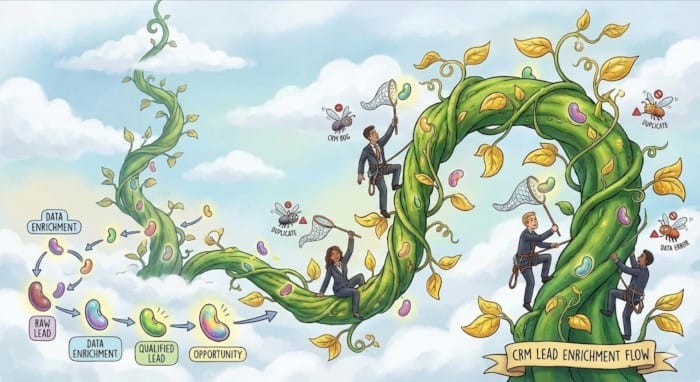
CRM leads flow. Source: Sourav Khamaru
The prompt is dead simple:

Prompt for CRM leads flow. Source: Sourav Khamaru
The AI was able to use general knowledge about CRM to draw out stages (e.g. “raw lead,” “data enrichment”) as well as the types of bugs encountered (e.g. “duplicates”).
(3) You can even delegate conceptualizing the image to the AI. You ask the AI to create the prompt for you, to compare two things for example.

Prompt to create an image prompt. Source: Angelo Luis Caron
You can then review the output, make your edits and feed the final prompt into the image generation model to get something like this:

Infographic comparing scuba diving with strategic consulting. Source: Angelo Luis Caron
(4) Adding joy to our work is perhaps the most under-appreciated value of image generation capabilities.

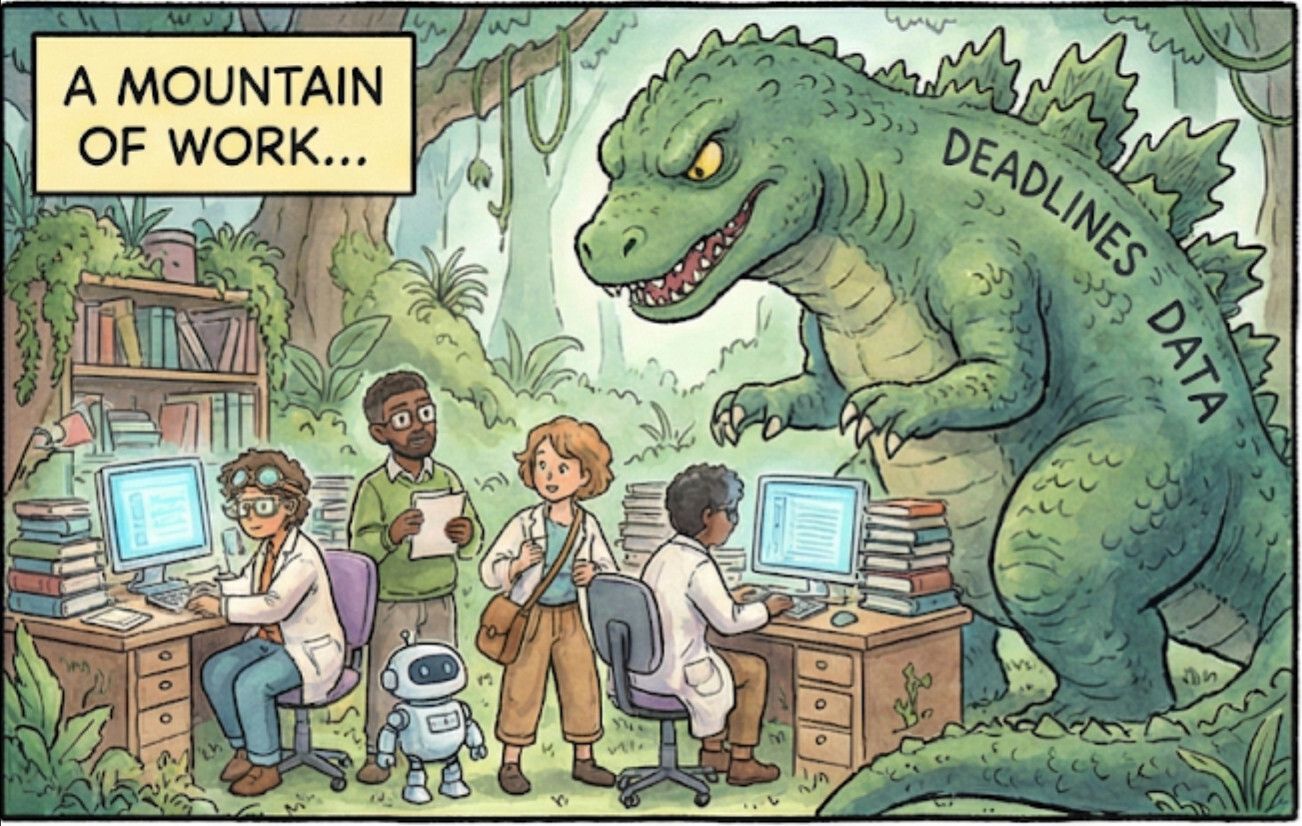
Comic strip. Source: Ashish Basuray.
What I find interesting about this prompt is that it doesn’t even specify what the story that is sought: only that we want to celebrate a win, and the context around that win.
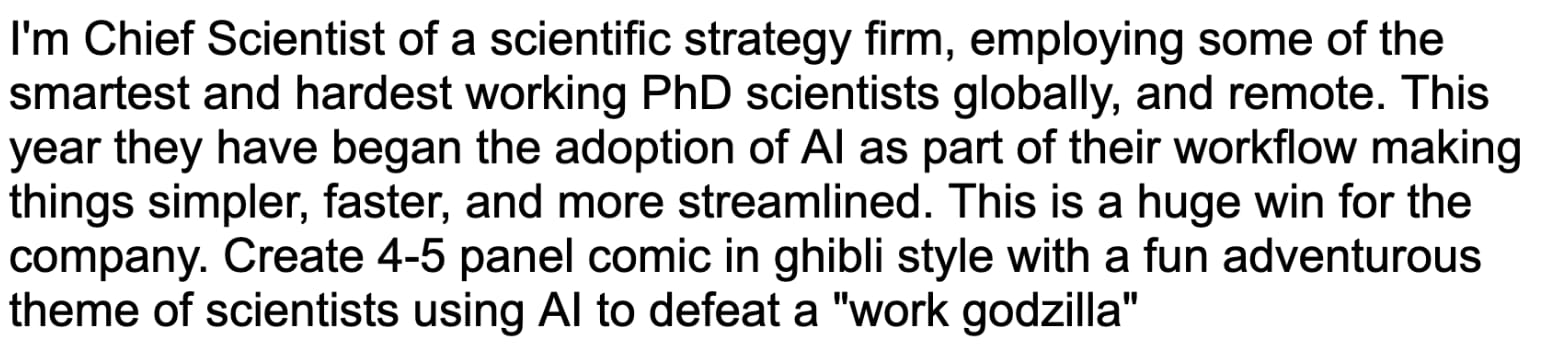
Prompt for comic strip. Source: Ashish Basuray.
This goes to show that AI models - as they continue to improve - are getting better at taking small amounts of information and guessing the rest. They are most effective when your ideas are still vague!
(5) This is the tip of the iceberg! This is a whole new capability and we’re all still learning where it fits in our workflows and lives.
A few noteworthy examples from elsewhere include
(a) creating step-by-step instructions

Source: @clarklab
(b) condensing concepts from 90+ page papers

@skirano
(c) creating charts that show measurements to scale
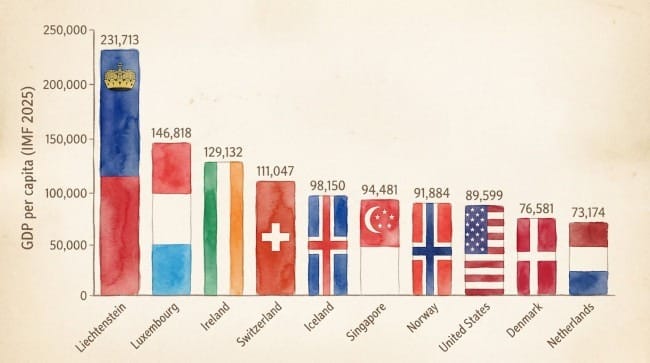
@19kaushiks
—---
As we’ve discussed in past editions of this newsletter, while “AI doom” is debatable, the tangible impact this technology is having is in empowering everyone to be able to create outputs that typically require highly skilled individuals or teams.
This ranges from image generation to software, movies, regulatory forms and more – essentially all forms of digital output.
Jobs are shifting to
the step that comes before - the prompts and definition of what is to be created,
what comes after - assuring the quality and correctness of the output
Check out my 5 minute video for a deeper dive on this:
See you next year!

Dino